
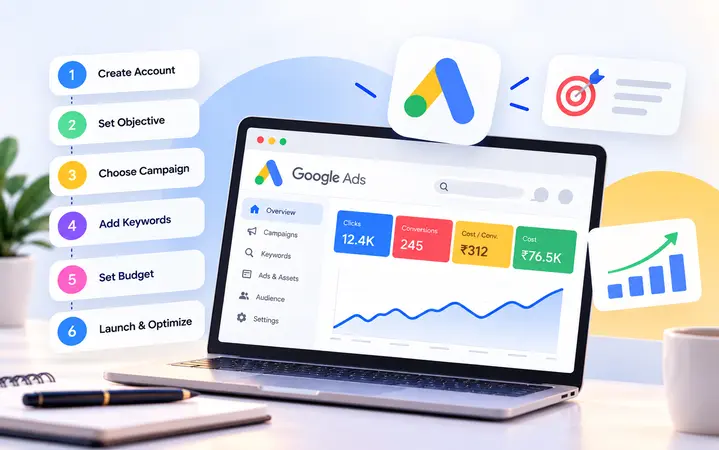
How to Set Up Google Ads: A Step-by-Step Guide for Beginners
Setting up Google Ads isn’t just about creating an account, selecting a few keywords and launching a campaign. The decisions you make during setup determine where your ads appear, who sees them, how your budget is spent and whether you can measure actual business results.
A poorly configured campaign can attract irrelevant clicks and consume your advertising budget without generating meaningful enquiries or sales.
To set up Google Ads, create an account, define your advertising objective, configure conversion tracking, choose a campaign type, research keywords, set your targeting and budget, create advertisements and review everything before publishing. Once your campaign is live, monitor search terms, conversions and costs to improve performance.
This guide explains the complete Google Ads setup process for beginners, with practical examples and recommendations to help you avoid common mistakes.
Step 1: Create Your Google Ads Account
Start by visiting Google Ads and selecting Start now.
Sign in using your Google account or create a new one.
Google will guide you through the initial setup, which includes adding your business information, choosing your advertising goals and entering your payment details.
You may be asked to provide:
- Your business name and website URL
- Your billing country and currency
- Your account time zone
- Your advertising objective
- Your billing profile and payment method
Make sure your billing country, currency and time zone are correct. These settings affect your account’s financial reporting and may not be editable after account creation.
Google may guide you toward creating your first campaign immediately. However, you can skip campaign recommendations during account creation and configure your campaign separately.
Pro tip: If you’re an agency managing Google Ads for a client, the client should own the advertising account and billing profile. Your agency can request access through a Google Ads manager account.
Step 2: Define Your Advertising Objective
Before creating a campaign, decide what you want your advertising investment to achieve.
Google Ads supports different objectives, including sales, leads, website traffic, app promotion and brand awareness.
Your objective should reflect a specific business outcome.
| Business type | Example advertising objective |
|---|---|
| E-commerce store | Generate online purchases |
| Digital marketing agency | Generate qualified enquiries |
| Local service provider | Increase calls and bookings |
| Educational institution | Generate course enquiries |
| SaaS business | Increase trial registrations |
| B2B company | Generate consultation requests |
For example, a digital marketing agency advertising SEO services may choose the Leads objective because the campaign aims to generate enquiries from prospective clients.
An e-commerce store may choose Sales because purchases are its primary conversion.
Clearly defining your objective helps you select the right campaign type, conversion goals and bidding strategy.
Step 3: Set Up Google Ads Conversion Tracking
One of the most important steps in Google Ads setup is configuring conversion tracking.
A conversion is an action you want someone to take after interacting with your advertisement.
Common conversions include form submissions, purchases, qualified phone calls, appointment bookings and trial registrations.
Without accurate conversion tracking, you may know how much you’ve spent and how many clicks you’ve received, but you won’t have a reliable picture of the business outcomes generated by those clicks.
How to configure conversion tracking
- Sign in to Google Ads.
- Open the Goals menu and select Summary.
- Click + Create conversion action.
- Select the appropriate conversion source, such as your website.
- Enter your website URL and follow the prompts.
- Connect your website data source and configure the conversion action.
- Implement the required tracking code or use your existing Google tag setup.
- Test the conversion and verify that Google Ads is recording it.
You can implement conversion tracking through the Google tag, Google Tag Manager (GTM) or supported Google Analytics integrations.
Should you connect Google Analytics 4?
Yes. Linking Google Analytics 4 (GA4) to Google Ads helps you understand how visitors interact with your website after clicking an advertisement.
It also allows you to create Google Ads conversions from GA4 key events and use relevant Analytics audiences.
For a lead generation campaign, you might track a successfully submitted enquiry form as a primary conversion and a relevant engagement action as a secondary measurement event.
Avoid treating every button click or page view as a successful lead.
Pro tip: Test your tracking before spending money. Incorrectly configured conversions can make an unsuccessful campaign appear profitable or prevent Google Ads from optimizing toward genuine business outcomes.
Step 4: Choose the Right Google Ads Campaign Type
After setting up your account and conversion measurement, choose the campaign type that matches your objective.
Google Ads offers several campaign types, each designed for different advertising placements and goals.
| Campaign type | Main purpose |
|---|---|
| Search | Reach people searching for products or services |
| Display | Show visual advertisements across websites and apps |
| Shopping | Promote eligible products using product listings |
| Video | Reach audiences through video advertising |
| Performance Max | Advertise across multiple Google channels |
| Demand Gen | Reach audiences through eligible visual and discovery placements |
| App | Promote mobile app installations or engagement |
Which campaign should beginners choose?
For businesses offering services that people actively search for, a Search campaign is often a practical starting point.
For example, someone searching for “SEO agency for small businesses” is expressing a specific need.
A Search campaign allows you to create text advertisements that can appear for relevant searches.
An e-commerce business may benefit from Shopping or Performance Max, depending on its product feed, conversion tracking and objectives.
For this guide, we’ll focus on setting up a Google Search campaign.
Step 5: Create Your First Google Search Campaign
To create a Search campaign:
- Open your Google Ads account.
- Click Campaigns.
- Select the Campaigns section.
- Click the plus icon and choose New campaign.
- Select your advertising objective, such as Leads, Sales or Website traffic.
- Choose Search as the campaign type.
- Review the conversion goals associated with the campaign.
- Continue to the campaign settings.
Give your campaign a clear name so it’s easy to identify in your reports.
For example:
Search | SEO Services | USA | Leads
This naming structure identifies the campaign type, service, target market and objective.
If you’re advertising multiple services or regions, consistent naming makes account management easier.
Step 6: Set Your Target Location and Language
Location targeting determines the geographic areas where your advertisements may appear.
You can target countries, regions, cities or other supported geographic areas.
Suppose your business provides digital marketing services to companies in the United States.
You may choose to target the entire United States or focus on particular states or cities where you want to generate business.
For a local service provider, targeting an appropriate service area can reduce irrelevant traffic.
Review advanced location settings
Google Ads may provide options for targeting people based on their presence in, or interest in, selected locations.
Businesses serving customers only within a specific geographic area should review these options carefully.
For example, a local home maintenance company may prefer to focus on people physically present in its service area rather than people elsewhere who have merely expressed interest in that location.
Choose the language settings that match the audience your campaign is intended to reach.
Pro tip: Avoid targeting too many unrelated locations in one campaign when your services, language, budget or customer value differ significantly between markets.
Step 7: Research and Select Relevant Keywords
Keywords help Google understand which searches are relevant to your advertisements.
Selecting the wrong keywords can attract visitors who aren’t interested in purchasing your product or service.
Start with Google’s Keyword Planner to explore relevant search terms, demand and estimated advertising costs.
For a digital marketing agency, potential keywords might include:
| Keyword | Search intent |
|---|---|
| Digital marketing agency | Commercial |
| Hire Google Ads expert | High commercial intent |
| SEO agency for small business | Commercial |
| Google Ads management services | High commercial intent |
| How does Google Ads work | Informational |
| Digital marketing course | Educational |
A business selling Google Ads management services would generally prioritize searches related to hiring an agency or professional.
Keywords related to training courses may be less relevant unless the agency also sells educational services.
Understand keyword match types
Google Ads offers three main keyword match types.
Broad match: Ads may show for searches related to your keyword, including searches that don’t contain the exact phrase.
Phrase match: Ads may show for searches that include the meaning of your keyword.
Exact match: Ads may show for searches with the same meaning or intent as your keyword.
For example, you could start with phrase and exact match versions of relevant service keywords to maintain closer control over search intent.
Broader matching can also be useful, particularly when paired with appropriate conversion tracking, automated bidding and regular search-term reviews.
Add negative keywords
Negative keywords help prevent your advertisements from appearing for unwanted searches.
A digital marketing agency might consider negative keywords such as:
- Jobs
- Internship
- Free course
- Training
- Salary
These should be added only when they’re genuinely irrelevant to your campaign.
Review your search terms regularly to discover additional negative keyword opportunities.
Step 8: Choose Your Budget and Bidding Strategy
Your campaign budget determines how much you’re willing to spend, while your bidding strategy guides how Google bids in ad auctions.
Google Ads typically asks you to set an average daily budget.
For example, a hypothetical monthly advertising budget of $900 could translate into an average daily budget of approximately $30.
However, Google can spend more than your average daily budget on individual days, subject to its applicable spending limits. Don’t treat the daily budget as a strict daily spending cap.
Which bidding strategy should you choose?
Your bidding strategy should match your business objective and conversion measurement.
| Bidding strategy | Primary objective |
|---|---|
| Maximize Clicks | Generate website visits |
| Maximize Conversions | Generate as many conversions as possible within budget constraints |
| Target CPA | Work toward a specified average cost per acquisition |
| Maximize Conversion Value | Maximize the total value of conversions |
| Target ROAS | Work toward a specified return on ad spend |
For a lead generation campaign with accurate conversion tracking, Maximize Conversions may be an appropriate starting point.
If conversion tracking isn’t ready, you should fix it before launching a conversion-focused campaign rather than optimizing blindly.
Target CPA and Target ROAS settings are better evaluated in the context of your business targets and available conversion data.
Avoid setting unrealistic targets that could restrict campaign delivery.
Step 9: Organize Your Campaign Into Relevant Ad Groups
Ad groups help organize advertisements and keywords around specific products or services.
A well-structured campaign makes it easier to write relevant ads, direct users to appropriate landing pages and evaluate performance.
For example, a digital marketing agency could organize its campaigns and ad groups as follows:
| Campaign | Ad group |
|---|---|
| SEO Services | SEO Agency |
| SEO Services | Local SEO Services |
| Google Ads Services | PPC Management |
| Google Ads Services | Google Ads Agency |
| Social Media Services | Social Media Management |
Each ad group should contain closely related keywords and advertisements.
Avoid mixing unrelated services in one ad group.
For instance, someone searching for a Google Ads management agency should see an advertisement specifically about Google Ads management, not a generic advertisement promoting every digital marketing service.
Step 10: Write Compelling Google Search Ads
Your advertisement should clearly explain what you’re offering and why someone should choose your business.
Google Search campaigns commonly use Responsive Search Ads, which allow you to provide multiple headlines and descriptions.
Google can test different combinations to serve advertisements.
For a digital marketing agency, an example could look like this:
Example headlines
- Google Ads Management Agency
- Grow Your Business With PPC
- Expert Google Ads Services
- Data-Driven PPC Campaigns
- Get a Google Ads Consultation
Example descriptions
- Reach customers actively searching for your services with tailored Google Ads campaigns. Talk to our team today.
- Improve your advertising strategy with keyword research, conversion tracking, campaign management and ongoing optimization.
Tips for writing better Google Ads
Include relevant keywords naturally, highlight your offer, communicate a genuine benefit and use a clear call to action.
Make sure your claims are accurate and your advertisement complies with Google’s advertising policies.
Avoid repeating the same message across every headline.
Use the available space to communicate different benefits, features and reasons to choose your business.
Step 11: Add Ad Assets
Ad assets provide additional information alongside eligible advertisements.
They can make your advertisement more informative and give potential customers additional ways to interact with your business.
Useful assets include:
- Sitelinks that direct users to relevant pages
- Callouts that highlight service benefits
- Structured snippets that list types of services
- Call assets for eligible businesses
- Location assets connected to suitable business locations
- Image assets where supported
For example, Digi Web Go could use sitelinks for SEO Services, Google Ads Management, Meta Ads Management and Contact Us.
Use relevant assets rather than adding unnecessary information.
Step 12: Create a High-Converting Landing Page
Even a well-configured Google Ads campaign can perform poorly if visitors reach an ineffective landing page.
Your landing page should closely match the search intent and advertisement that brought the visitor there.
For example, an advertisement promoting Google Ads management should direct visitors to a relevant Google Ads service page.
Sending every visitor to a general homepage may create unnecessary friction.
A strong landing page should include a clear headline, relevant service information, genuine trust signals and an obvious call to action.
For lead generation, provide an easy way to contact the business through a form, phone number or appointment-booking option.
Ensure your website is mobile-friendly and loads properly.
Check that all forms, buttons and tracking events work before launching your campaign.
Step 13: Review and Publish Your Campaign
Before publishing, review every major campaign setting.
Google Ads pre-launch checklist
- Correct campaign objective and conversion goals
- Accurate conversion tracking
- Appropriate geographic and language targeting
- Relevant keywords and match types
- Initial negative keywords
- Suitable budget and bidding strategy
- Correct ad group structure
- Complete and accurate ad copy
- Relevant ad assets
- Working landing page
- Correct billing information
Once you’ve completed your checks, publish the campaign.
Google will review your advertisements for compliance with its policies. The campaign will begin serving when it is eligible and its other delivery requirements are met.
Step 14: Monitor and Optimize Your Google Ads
Launching your campaign is only the beginning.
Once it starts receiving traffic, review how users interact with your advertisements and what happens after they reach your website.
During the first week
Check that your ads are approved and serving, your landing pages load correctly and your conversion tracking is functioning.
Review search terms to identify irrelevant queries that may require negative keywords.
Monitor spending, but avoid making large changes in response to very small amounts of data.
During the second week
Compare keyword and ad group performance.
Review click-through rates, conversion rates and cost per conversion.
Look for differences in performance across locations, devices and landing pages.
Identify opportunities to improve your advertising messages or keyword targeting.
During weeks three and four
Evaluate which campaigns are generating meaningful business outcomes.
For lead generation, compare enquiries with qualified prospects and actual customers where that information is available.
Review your bidding strategy and budget allocation based on the data you’ve collected.
Performance evaluation should account for conversion volume, attribution delays and your sales cycle.
Pro tip: A campaign generating fewer clicks but more qualified customers may be more valuable than a campaign producing large amounts of inexpensive, irrelevant traffic.
Common Google Ads Setup Mistakes to Avoid
Even small configuration mistakes can affect your advertising results.
| Mistake | Why it matters |
|---|---|
| Launching without conversion tracking | Makes it difficult to evaluate business outcomes |
| Using irrelevant keywords | Attracts traffic with little purchase intent |
| Ignoring negative keywords | Can waste money on unwanted searches |
| Targeting the wrong locations | Reaches people outside your intended market |
| Using generic advertisements | Reduces relevance to specific searches |
| Sending users to unrelated pages | Creates a poor post-click experience |
| Optimizing only for clicks | May prioritize traffic instead of business results |
| Making frequent major changes | Makes performance harder to evaluate |
The best way to avoid these mistakes is to establish a clear campaign strategy and verify the technical setup before launch.
Final Thoughts: Set Up Google Ads for Business Results, Not Just Clicks
Google Ads can help businesses reach people who are actively looking for their products or services.
However, creating an account and launching advertisements isn’t enough to build an effective campaign.
Your keywords, targeting, advertisements, landing pages, conversion tracking and bidding strategy need to support the same business objective.
Start with a clear plan, ensure your measurement is accurate and make optimization decisions based on meaningful performance data.
At Digi Web Go, we help businesses build and manage Google Ads campaigns focused on relevant traffic, qualified leads and measurable growth. From keyword research and campaign setup to conversion tracking, landing page strategy and ongoing optimization, we bring every part of your paid search strategy together.
Ready to Launch Google Ads That Drive Real Business Growth?
Stop guessing where your advertising budget is going. Let Digi Web Go help you plan, launch and optimize campaigns built around your business goals.
CTA: Let’s Launch Your Google Ads →
Frequently Asked Questions
1. Is Google Ads free to set up?
Creating a Google Ads account is generally free. You pay for advertising according to your campaign’s billing and pricing model. Agency management, website development and other professional services may involve additional costs.
2. How much budget do I need to start Google Ads?
There is no universal minimum budget suitable for every business. Your starting budget should consider your industry, target location, estimated cost per click, expected conversion rate and customer acquisition goals. Use Keyword Planner and your business economics to establish a realistic test budget.
3. Can I run Google Ads without a website?
Certain supported campaign formats and lead collection features may allow businesses to advertise without a traditional website. However, a relevant website or landing page provides greater control over your messaging, customer experience and conversion measurement.
4. How long does it take for Google Ads to start working?
Eligible advertisements may begin serving after review, but generating sufficient performance data takes longer. The time required to evaluate results depends on your budget, competition, conversion volume, sales cycle and campaign settings.
5. Which Google Ads campaign type is suitable for beginners?
Search campaigns can be a practical starting point for service businesses targeting people who are actively searching for their offerings. However, the appropriate campaign type depends on your advertising goals, products, audience and available assets.
6. Should I use Maximize Clicks or Maximize Conversions?
Maximize Clicks focuses on generating website visits, while Maximize Conversions uses available conversion signals to seek more conversions. For campaigns focused on leads or sales, accurate conversion tracking is essential before relying on conversion-based bidding.